


Most Operational Problems Give Warnings, We Just Miss Them
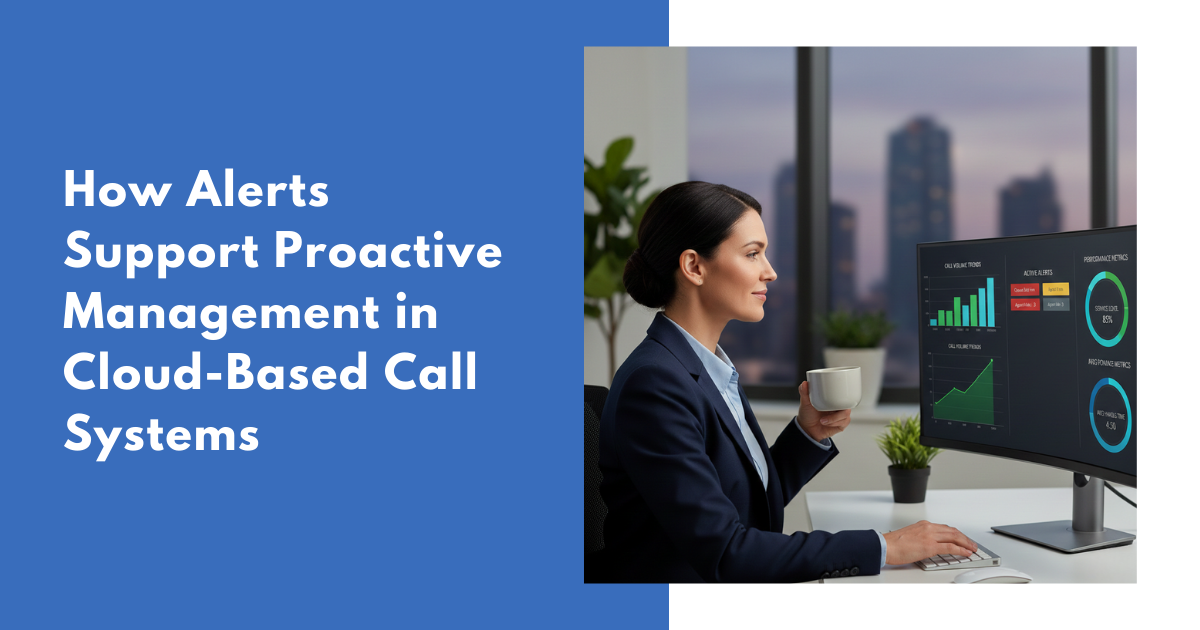
Here’s the thing about operational problems, they don’t announce themselves.They creep in. You see a few more missed calls than usual. Response times slowly tick up. A system metric inside your cloud based call management system starts sitting just outside its normal range. Then a week later, you are staring at reports from your call reporting software trying to work out why everything has gone sideways.By that point, customers are frustrated, your team is under pressure, and you are stuck reacting instead of leading.That is exactly what alerts are designed to fix.In fast moving environments powered by cloud based calling software, alerts are no longer optional. They make hidden issues visible early. They give managers time to act before minor inefficiencies turn into operational failures.This post explains what alerts actually do, why they matter, and why many organizations are moving away from rigid reporting schedules toward systems that speak up the moment something looks wrong.What Are Alerts, Really?
Alerts are automatic notifications triggered when specific conditions are met inside your call detail reporting software or call management platform.Instead of manually checking dashboards and hoping you notice an issue, alerts notify you when key metrics go too high, too low, or start behaving outside their normal baseline.Depending on your setup, alerts may appear on dashboards, arrive via email, or surface directly within your cloud based call management system. The real value is timing. Alerts surface problems while there is still time to correct them.They do not replace reports. They enhance call reporting software by adding immediacy and focus.Why Managers Miss Problems Without Alerts
Many teams still rely heavily on static reports generated daily or weekly. This creates three common challenges:Reports show what already happened, not what is about to go wrongManagers are overwhelmed with data, so genuine issues blend into the noiseAnything that develops between reporting cycles often goes unnoticedThe reality is simple. People cannot monitor dashboards constantly. Systems can.This is where alerts inside cloud based calling software provide a clear advantage.What Alerts Actually Do for Managers
They catch issues earlyAlerts detect unusual patterns before customers feel the impact. A spike in call volume, declining answer rates, or congestion on a Mitel PBX phone system can be flagged as soon as thresholds are crossed.Early detection gives you options. Late detection forces compromises.They speed up decision makingAlerts eliminate guesswork. They identify exactly which metric is affected, where the issue is occurring, and how urgent it is. Managers no longer need to dig through multiple reports to find the problem.They reduce operational riskSmall problems escalate quickly when ignored. Alerts help teams address root causes before they lead to service disruptions, compliance risks, or customer complaints.They improve workforce utilizationWhen alerts show where pressure is building, managers can adjust staffing levels, rebalance workloads, or modify schedules before burnout sets in.They create clearer accountabilityShared alert thresholds make expectations transparent. Teams know what normal looks like and who owns the response when metrics drift.What Metrics Are Commonly Monitored
Alerts are most effective when applied to metrics that reflect real operational health:- Incoming call volumes
- Average answer times
- Abandoned calls
- Trunk and system capacity
- Queue congestion
- Missed calls and interactions
- Any deviation from historical baselines
Real Examples of Alerts in Action
Rising call volumeCall volumes often increase gradually. Without alerts, managers typically notice after service levels decline.With alerts enabled, the system flags unusual increases early. This allows teams to add resources, reroute traffic, or investigate root causes before customer experience suffers.Response times slippingAnswer times rarely spike overnight. They drift.Alerts catch these trends early, allowing intervention before long hold times become the norm.System stressCapacity issues within a cloud based call management system or Mitel PBX phone system usually show warning signs. Alerts based on trunk utilization or queue depth help prevent outages instead of explaining them after the fact.Who Benefits Most From Alert Based Management
Call centers and support teamsAlerts help supervisors manage service levels, agent availability, and call flow close to real time.Healthcare organizationsAlerts support patient safety by identifying delays, system overloads, or abnormal operating patterns.Financial servicesRegulated environments rely on alerts to maintain compliance and respond quickly to operational risks.IT and network operationsSystem alerts prevent downtime by identifying performance degradation early.Logistics and field servicesAlerts highlight bottlenecks and workload imbalances before commitments are missed.The Old Way vs The New Way
How it used to work- Manual report reviews
- Discovering problems after customers were affected
- Constant firefighting
- High stress during peak periods
- Automated alerts
- Early trend detection
- Proactive adjustments
- Fewer surprises
- More predictable operations
Setting Up Alerts That Actually Work
Set realistic thresholdsUse historical data to define meaningful limits, not arbitrary numbers.Avoid alert fatigueToo many alerts reduce effectiveness. Focus only on conditions that require action.Add contextA good alert explains what happened, where it occurred, and why it matters.Route alerts correctlySend notifications only to people who can act on them.Review regularlyAs operations change, alert thresholds should evolve with them.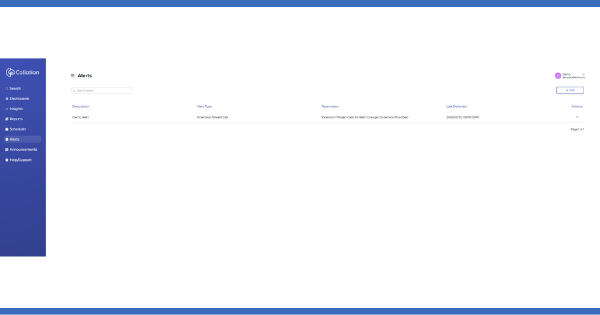
Alerts and Dashboards Work Together
Dashboards provide a consolidated view of performance across time. Alerts identify what needs attention right now.Together, dashboards and alerts inside cloud based calling software give managers both context and urgency. Alerts prompt action, dashboards support analysis and decision making.How Alerts Change Leadership
Alerts do more than prevent problems. They change how managers lead.Teams move from reactive responses to proactive control. Decisions are guided by real signals instead of intuition. Over time, organizations develop a culture that anticipates issues rather than constantly recovering from them.Ways to Move Forward
If your teams are still using reports generated today to understand problems from yesterday, it may be time to rethink how visibility works.Alerts provide a clearer, more immediate picture of operational health. The first step is understanding how alerts support proactive action. The next is selecting call reporting software that delivers meaningful signals based on real call activity.Frequently Asked Questions
They notify you when specific conditions are met so you can act before things get worse.
Not at all. Small and mid-sized teams often benefit more because they don’t have the capacity to monitor everything manually.
Every quarter, or whenever your operation changes in a meaningful way.
No, they work together. Reports give you insight, alerts give you timing.
Then they stop being useful. Successful teams treat alerts as prompts to investigate, not background noise to tune out.